
Nap
Sleep Sounds Mobile App

#mobileapp
#contentbased
My role
UI/UX Designer
Illustrator
App Store Product Designer
Team
Appack
Tools
Figma
Illustrator
Photoshop

Project Overview
Principles
1
to relax the users and take them on a journey in a calm, simple and magical environment.
2
to support, develop and feel in that magical universe what the application wants to achieve with design.

Problems & Needs
1
People experiencing insomnia and having trouble falling asleep
2
People have high levels of stress and anxiety
Persona
1
People have trouble falling asleep
2
People who need relaxation, want to reduce their stress level
Outcome
We have produced an application for those who have insomnia and anxiety, where they can easily access relaxing sounds and shape and listen to them according to their personal tastes.
App Architecture & User Flows

Information Architecture

Onboarding Flow

Notification Permission Flow

Feedback View Flow

In- App Event Flow

In- App Rating Flow
Wireframes


Design Guide
Color Palette
Primary Colors

Neutral Colors
Accent Colors


Buttons
Unselected Button

Selected Button

Primary Button

Disabled Button

Typography
Typeface
Aa
SF Pro Rounded

Conclusion/ Earnings
Design Handoff
This project has given me valuable experience in delivering outputs for development team. I prepared checklists about design handoff.
I learned to:
Export my design files from Figma to Zeplin.
Make image assets exportable in most accurate way.
To be consistent in design.
To design responsibly and considering different screen sizes.
Updating style guide regularly.
Test it on multiple resolutions.
Prepared changelogs for best communications.
1
2
3
4
5
6
7
Learning from Users
I followed users' experiences in the application via Mixpanel. I improved my designs in line with how users use the application and their trends. I realized my mistakes and took the opportunity to edit. It was very valuable for me to observe the users and see my mistakes, and to be able to improve both the design and the experience of the application in line with their wishes and needs.
Checklists I have prepared about after design and design handoff process


User Interface

Onboarding View/ Welcome

Onboarding/ Purpose Selection

Onboarding/ Select your type

Onboarding View/ Sounds

Onboarding View/ Sounds

Onboarding View/ Sounds

Loading View

Home View/ Existing User

Home View/ First Session

Category View
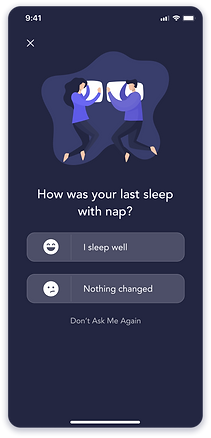
User Feedback View

Player View
App Store
On the store side of the application, I prepared product page customization screenshots and variations for the app store, taking a brief from the app store optimization specialist.

Screenshot Variation A

Screenshot Variation B

Screenshot Variation C